How To Ace Video Interviews
Video interviews have become increasingly popular in today’s job market, as more and more companies are moving towards remote hiring processes. While video interviews offer many benefits, they can also be challenging for job seekers who are not familiar with the process. In this blog, we’ll explore some tips and strategies for nailing your video interviews and standing out from the competition.
- Test your equipment and internet connection Before your video interview, make sure to test your equipment and internet connection to ensure that everything is working properly. Test your camera, microphone, and speakers to make sure that you can see and hear the interviewer clearly. It’s also a good idea to test your internet connection and make sure that you have a strong, stable connection.
- Dress appropriately Just because you’re interviewing from home doesn’t mean that you can dress casually. Dress as you would for an in-person interview and make sure that you look professional and put-together. This will not only make a good impression on the interviewer but also help you get in the right mindset for the interview.
- Set the scene Make sure that the area behind you is clean, organized, and free of distractions. Choose a quiet location where you won’t be interrupted or distracted by pets, children, or other household members. If possible, sit at a desk or table rather than on the couch or bed to create a more professional atmosphere.
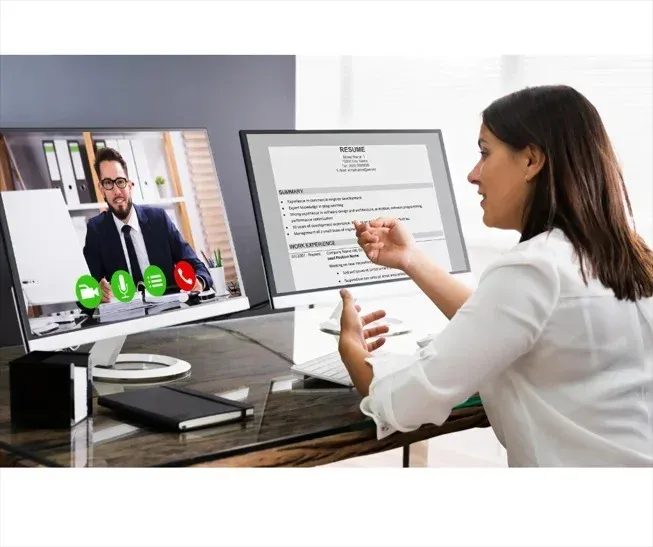
- Practice your body language Body language plays a crucial role in video interviews, as it’s often the only way that the interviewer can gauge your level of interest and engagement. Practice sitting up straight, making eye contact, and using hand gestures to emphasize your points. Avoid slouching or fidgeting, as this can make you appear nervous or disinterested.
- Prepare for common interview questions Just like in an in-person interview, you’ll likely be asked a variety of common interview questions during your video interview. Make sure to prepare your answers in advance and practice delivering them in a clear, concise, and confident manner. Research the company and the position beforehand so that you can tailor your responses to the specific role.
- Be mindful of your technology use During the interview, make sure to focus solely on the interviewer and the interview itself. Avoid checking your phone, email, or other notifications, as this can be distracting and make you appear disinterested. If you need to take notes, use a pen and paper rather than typing on your computer, as the sound of typing can be picked up by the microphone and distract the interviewer.
- Follow up after the interview After the interview, send a thank-you note or email to the interviewer to express your appreciation for their time and reiterate your interest in the position. This is a great opportunity to stand out from the competition and make a positive impression on the interviewer.
In conclusion, video interviews are becoming increasingly common in today’s job market, and it’s important for job seekers to know how to nail them. By testing your equipment and internet connection, dressing appropriately, setting the scene, practicing your body language, preparing for common interview questions, being mindful of your technology use, and following up after the interview, you can increase your chances of success and stand out from the competition. With these tips and strategies, you can confidently navigate the video interview process and land your dream job.